Features
Everything the app does today, in the order you meet it.
The composer
A clip is prepared once and described separately for each platform, because the two want different things: a title of up to 100 characters on YouTube, a caption of up to 2200 on TikTok.
- Quick start — choose one file of an exported pair and the app fills in the second file and both caption texts from the files sitting next to it.
- Live counters — each text field shows how much of the platform limit is used, so nothing is silently truncated at upload time.
- Tags — entered as chips, deduplicated, capped at the number YouTube accepts.
- Per-platform switches — turn either platform off for this clip without clearing what you typed.
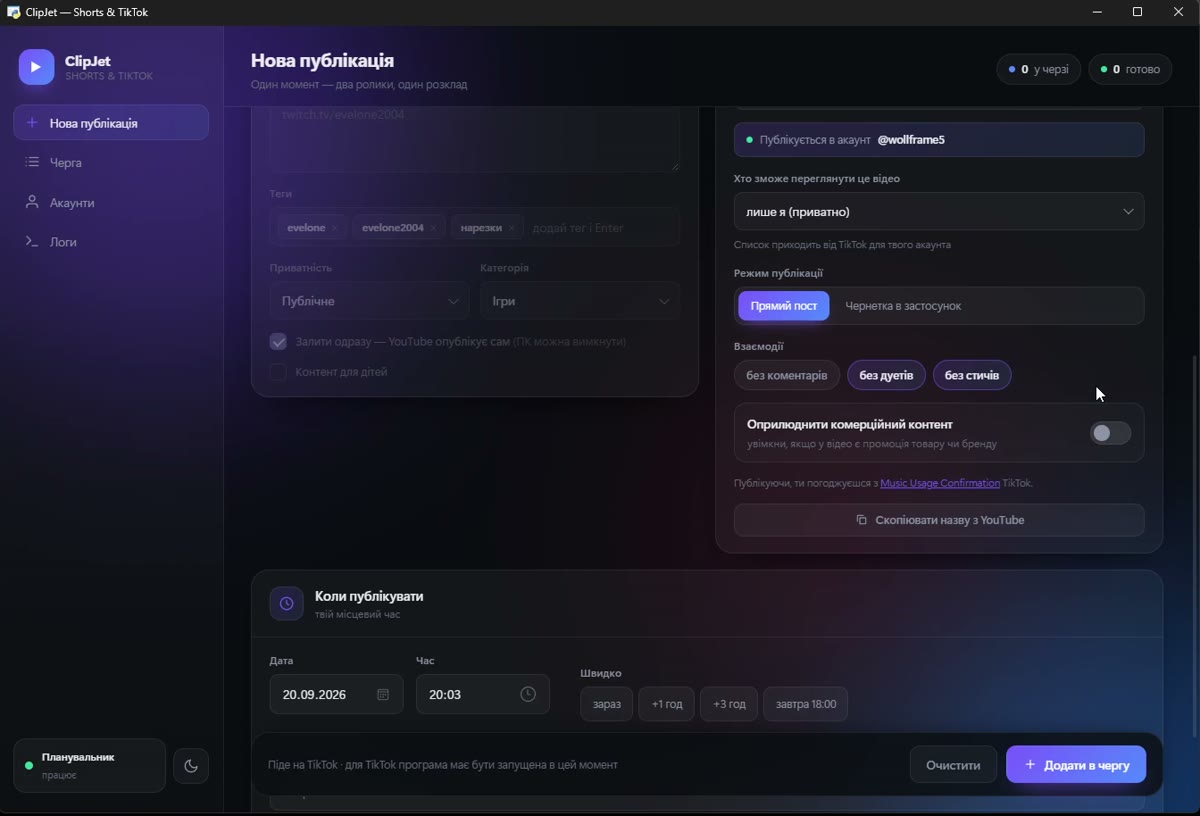
TikTok controls
- The connected account is shown above the options, so a post can never silently go to the wrong profile.
- Privacy level is never preselected. The list comes from TikTok for your account, and the post cannot be queued until you choose one yourself.
- Interaction settings — comments, duet and stitch. If TikTok reports that one of them is disabled for your account, the app disables it too instead of pretending otherwise.
- Commercial content disclosure — "your brand" and "branded content", with the resulting label shown before posting: Promotional content or Paid partnership. Branded content cannot be combined with a private post, and the app blocks that combination.
- Music Usage Confirmation is stated next to the post button, and the Branded Content Policy is added to it when the disclosure is on.
- Two publishing modes — a direct post, or sending the clip to your TikTok inbox as a draft to finish in the app.
The queue
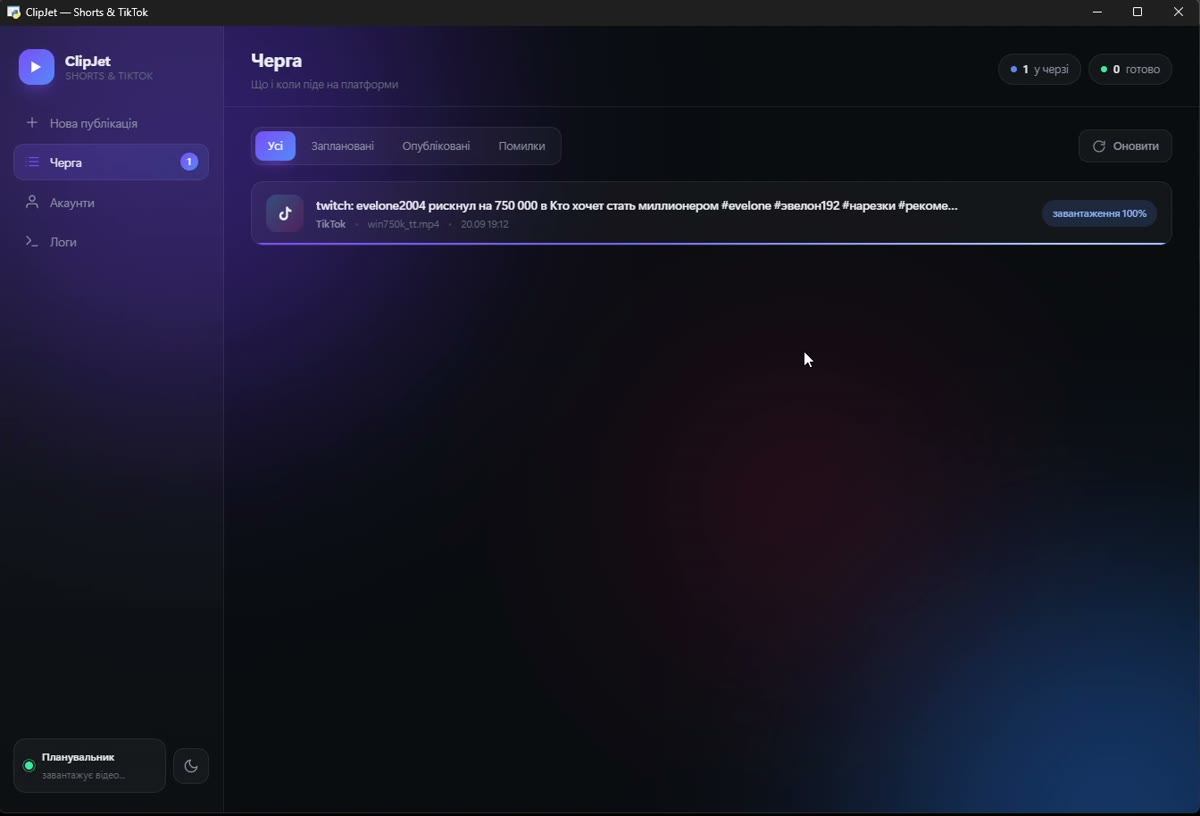
Everything scheduled lives in one list: what, where, when, and what happened.
- Status per post — waiting, uploading with a percentage, scheduled on the platform, published, or failed with the reason.
- Publish now, retry, open the file on disk, or open the published video.
- Failures are retried twice with growing pauses. Mistakes that retrying cannot fix — a missing file, a disconnected account, a refusal by the platform — are marked final instead of looping.
- A full activity log of what the scheduler did and why, kept locally.
Scheduling and the desktop
- YouTube is scheduled by YouTube. The clip is uploaded privately with a publish time, so the computer can be switched off afterwards.
- TikTok is posted by the app, because its API has no scheduling. The app can start with Windows so the queue is alive at the right moment.
- Single instance — clicking the icon again raises the open window instead of starting a second copy with a second scheduler.
- Dark and light themes, remembered between runs.